 Quizproof
Placing your quiz
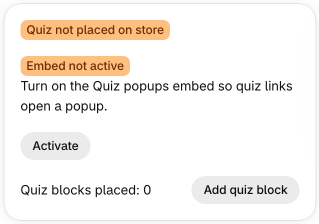
Quizproof adds nothing to your theme's code. Everything is a theme app block or app embed that you place and remove in the theme editor (Online Store › Themes › Customize). Home shows whether your quiz is on your store and opens the theme editor at the right place.
A Quiz block on a page#
Add a Quiz block to any template (a page, a product, the home page) and choose the quiz in the block's settings. The quiz renders inside the page. It loads only when a shopper scrolls near it, so it doesn't slow the page down.
From Home: Add quiz block opens the theme editor on your page template with a new block added. Choose your quiz, then Save.
A popup from any link#
Turn on the Quiz popups app embed once (Home › Activate, then Save in the theme editor). After that, any link on your store opens a quiz in a popup:
a menu item or button linking to
#quizproof=your-quiz-handle;any element with the attribute
data-quizproof="your-quiz-handle";any page opened with
?qp=your-quiz-handleat the end of its address (handy in emails and ads).
The quiz handle is on the quiz's page in Quizproof. Nothing of the quiz loads until a shopper points at, focuses or
taps a quiz link, or opens a ?qp= address.
The Quiz button#
The Quiz button block adds a button (your label and style) that opens the quiz in a popup. It works with or without the app embed. Place it under the product information, for example.
The quiz page#
Every published quiz also has its own page on your store at /apps/quizproof/q/your-quiz-handle (the path follows
your app proxy setting). Use it as a landing page. View on store on the Quizzes page opens it.
If you change the app's proxy URL in your Shopify admin (Settings › Apps › Quizproof › App Proxy URL), open your
quiz page once at the new address, for example /apps/your-new-path/q/your-quiz-handle. Quizproof learns the new path
from that visit, and your blocks and links switch to it after a short wait.
When a quiz is paused or deleted#
A paused or deleted quiz disappears from your live store at once: the Quiz block and the Quiz button render nothing, and the theme editor shows a note on the block saying why. A link to the quiz still opens the popup, which says "This quiz is paused." (paused) or "This quiz isn't available right now." (deleted) with a link to browse your products, so remove or change those links if the quiz stays off. Shopify can keep showing the page as it was for a short while; a shopper who answers on such a page is told the quiz is paused (for a deleted quiz, asked to start again).
Removing Quizproof#
Remove the blocks and turn off the app embed in the theme editor. Uninstalling the app also stops them from rendering; nothing is left in your theme's code.
Menu paths such as Settings › Privacy are inside Quizproof: in your Shopify admin, open Apps › Quizproof. Where an article means Shopify's own settings, it says so.
Something unclear? Email support@quizproof.app. We aim to reply within 1 business day.