 Quizproof
Klaviyo setup
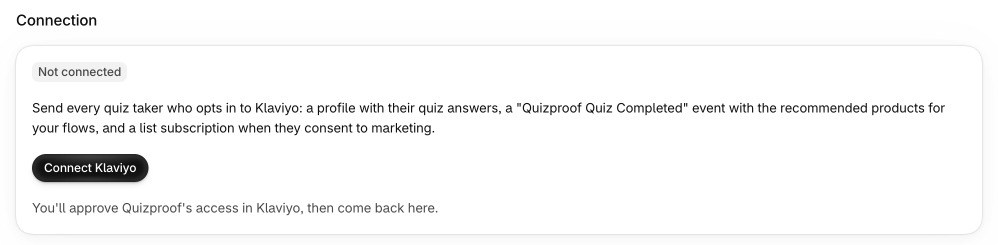
Quizproof sends quiz takers who opt in to your Klaviyo account, with their answers and the products the quiz recommended, so you can follow up in your own flows. It's available on every plan.
Connect#
Go to Settings › Klaviyo and choose Connect Klaviyo.
Klaviyo asks you to allow Quizproof access to your account. Choose Allow.
Back in Quizproof, new subscribers join a list named "Quizproof subscribers" (created in Klaviyo if you don't have it). To use another list, choose Change list, pick it and Save list.
Quizproof asks only for the access it uses: your account's name, profiles, lists, events, subscriptions, data privacy (to delete a profile when a shopper asks), and the results email's template, flow and metric.
What Quizproof sends#
For every quiz taker who opts in:
a profile with their email (and phone if they gave one), plus quiz properties such as the last quiz taken;
a Quizproof Quiz Completed event with the quiz, the answers to questions you chose to save, and the recommended products (title, link, image, price in the shopper's currency);
a subscription to your list, only when the shopper ticked email marketing consent (SMS only with SMS consent).
Nothing is sent for shoppers who don't opt in. If a shopper withdraws consent later, or asks to be deleted, Quizproof stops pending sends and updates or deletes the profile in Klaviyo.
The results email#
In the Results email section Quizproof can create a ready-made email template and a flow triggered by the Quizproof Quiz Completed event. The flow is created as a draft: review it in Klaviyo and turn it live when you're ready. Each email links to a results page on your store with live prices. Send test email to me sends you one to check once the flow is Live or Manual in Klaviyo.
Klaviyo sends the email 5 minutes after a shopper completes the quiz. By default it goes only to shoppers subscribed to your email marketing. To also email shoppers who ticked only "Email me my quiz results", turn on Send results email to shoppers who didn't subscribe.
The flow sends only while Settings › Results email names Klaviyo as the sender, so Quizproof and Klaviyo never both send it. Quizproof sends it itself by default: if the Klaviyo page says another sender is chosen, Use this flow instead switches to Klaviyo. A flow you build yourself in Klaviyo isn't controlled by this setting. See "Sending the results by email" in the email opt-in.
When something fails#
The Klaviyo page shows the sync's state, the last successful send and any failures with the fix (for example Reconnect Klaviyo when Klaviyo refuses the connection). Failed sends are retried automatically; after repeated failures Home shows a red notice and you get an alert. Retry failed sends them again once the cause is fixed.
Disconnect#
Disconnect revokes Quizproof's access in Klaviyo and cancels anything waiting to be sent. Profiles already in Klaviyo stay there.
Menu paths such as Settings › Privacy are inside Quizproof: in your Shopify admin, open Apps › Quizproof. Where an article means Shopify's own settings, it says so.
Something unclear? Email support@quizproof.app. We aim to reply within 1 business day.
More in Integrations: Collect emails with the opt-in question