 Quizproof
Notifications and alerts
Quizproof emails you when something needs your attention: critical catalog changes right away, everything else in one daily summary. The emails go to your store owner's address unless you enter another one under Settings › Notification settings.
Set where and when#
Go to Settings › Notification settings.
Alert email: leave it empty to use the store owner's email, or enter another address.
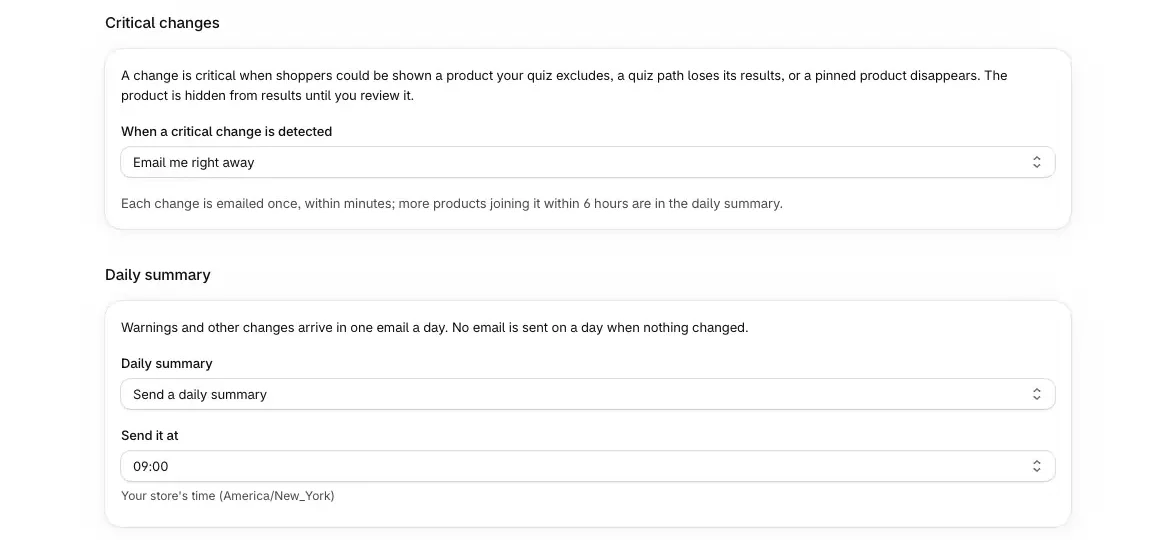
When a critical change is detected: Email me right away (the default), Include them in the daily summary or Don't email critical changes. Turning them off asks you to confirm.
Daily summary: Send a daily summary or Don't send a summary, and Send it at: the hour, in your store's time zone (09:00 by default).
Save, then choose Send test alert to check it arrives. You can send one test a minute, five a day.
What Quizproof emails#
| When | Setting that controls it | |
|---|---|---|
| Critical change | A product your quiz excludes could be shown, a quiz path loses its results, a pinned product disappears, or products can't be verified for 24 hours. Sent within minutes; more products joining the same change within 6 hours go in the daily summary. | When a critical change is detected |
| Daily summary | Once a day at your chosen hour: open changes by severity and the ones with new activity. Nothing is sent on a day when nothing changed. | Daily summary |
| Klaviyo sync failing | Sends to Klaviyo keep failing. Once per run of failures, with the reason and the fix. | Always sent |
| Plan usage | At 80% and 100% of your plan's completions, and when quizzes pause for new shoppers at 120%. Once each per billing period. | Always sent |
Each email links to the page in Quizproof where you fix it. A critical change hides the affected products from results until you review it on Changes, whether or not you're emailed; see how change control works.
Quizproof doesn't email you about a failed catalog import or a delayed catalog check: those show on Home. Results emails to shoppers that weren't sent, or a pause after shoppers marked them as spam, show on Settings › Results email, not in an alert. Alerts come only by email: there are no SMS or Slack alerts, and they aren't Shopify Flow triggers. Besides the emails above, Quizproof only emails you to confirm a message you sent to support from the app, once after you uninstall, to ask why, and when you ask for a test email.
Notices on Home#
Home shows the most urgent notice at the top, one at a time:
your catalog import failed, or was incomplete;
your plan's completions are at 80%, 100% or paused;
Klaviyo sync is failing;
Catalog sync delayed (Quizproof's regular product checks are behind; it clears by itself).
The Changes card on Home shows open changes and whether the catalog is in sync.
The audit log#
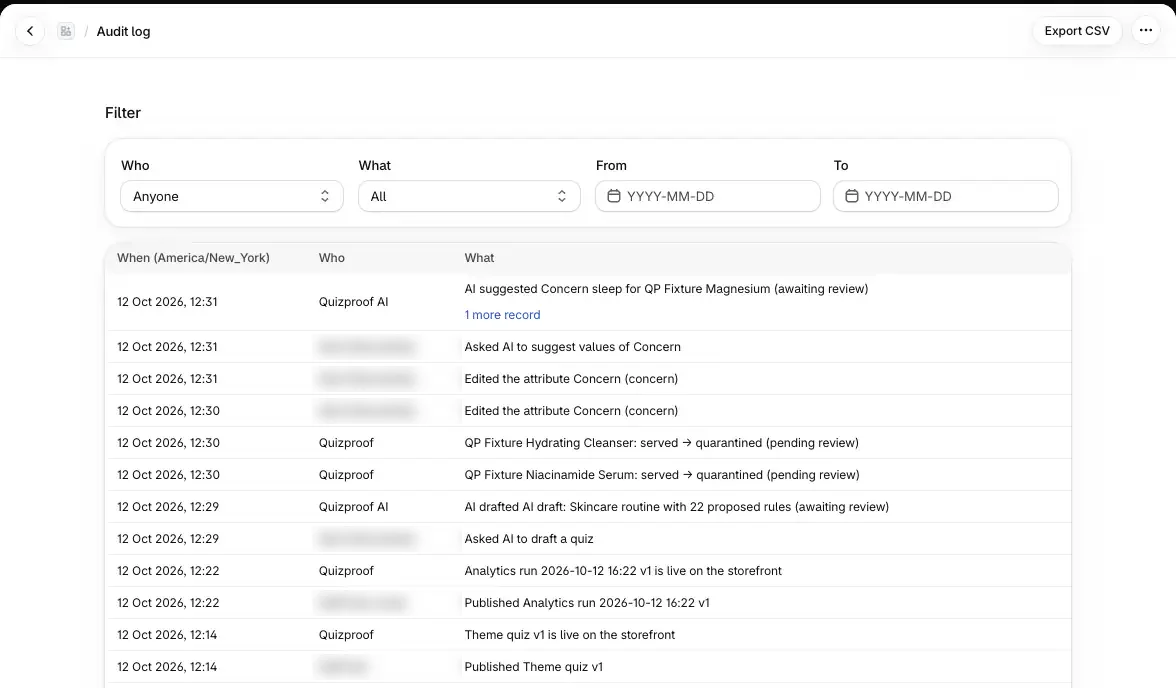
Settings › Audit log lists who approved, rejected, published, rolled back or changed what, and when: quiz publishes and rollbacks, change decisions, attribute and source edits, manual values, settings changes and integration connects. Each line names the staff member, Quizproof or Quizproof AI.
Filter by Who (Staff, Quizproof (system), Quizproof AI), What (Quizzes, Products, Changes, Attributes, Settings), From and To.
A line that covers several records shows the rest under "N more records".
Export CSV downloads every row matching the filters.
Entries can't be edited. Views and exports of shoppers' personal data are logged separately, under Settings › Privacy.
If it doesn't work#
I don't get any alerts. Check the address under Settings › Notification settings and choose Send test alert. Look in spam; the sender is alerts@quizproof.app.
The settings say "Alert email bouncing" or "marked as spam". Alerts to that address are paused. Enter an address that works and save.
I get the daily summary but no critical emails. When a critical change is detected is set to the daily summary or off.
Test alert says to try again later. The limit is one test a minute and five a day.
Related#
Questions? Email support@quizproof.app.
Menu paths such as Settings › Privacy are inside Quizproof: in your Shopify admin, open Apps › Quizproof. Where an article means Shopify's own settings, it says so.
Something unclear? Email support@quizproof.app. We aim to reply within 1 business day.
More in Your data: How change control works, Privacy and consent, Your catalog in Quizproof: attributes, sources and data quality, Analytics: completions, add to cart and revenue from quizzes